I recall the endless hours spent on manual web performance checks. It was a never-ending cycle, always playing catch-up with code changes. The task was not only repetitive but also drained my energy and time.
Then, I found the game-changer: using Lighthouse with CI/CD pipelines. This combination revolutionised my work process. Automated testing became my ally, spotting performance issues before they hit our users.
The magic of this system is its reliability. Every code update now prompts a thorough audit, keeping our site’s speed in check. It’s as if we have a constant quality overseer, always on the lookout for our project’s well-being.
Key Takeaways
- Manual performance audits consume significant time and resources
- Lighthouse integration with CI/CD enables continuous monitoring
- Automated testing catches regressions early in development
- Consistent performance checks become part of your workflow
- Early detection saves valuable debugging time later
- Team confidence increases with regular performance feedback
The Benefits of Automating LighthouseAudits
Integrating Lighthouse audits into our CI/CD pipeline has revolutionised our approach to web performance. We no longer view audits as sporadic events but as a continuous process. This ensures issues are identified and resolved before they affect users.
The efficiency gains have been remarkable. Automated Lighthouse checks have significantly reduced manual testing time. Developers receive instant feedback on their pull requests. This allows them to address performance regressions promptly, while the code is still fresh in their minds.

Team collaboration has also seen a significant uplift. With everyone accessing the same performance metrics, we’ve developed a unified language for web optimisation. Our DevOps culture has grown stronger as performance is now a collective responsibility, not just a specialist’s domain.
Our sites have seen consistently faster load times since we started automating. Pages that once took 4-5 seconds to load now load in 2-3 seconds. This improvement in load times has led to enhanced user engagement and lower bounce rates.
The SEO benefits have been evident within weeks. As our performance metrics have improved, so have our search rankings. Google’s algorithms favour sites that offer excellent user experiences. Automated Lighthouse audits help us maintain these standards.
What stands out most is the preventative nature of these automated checks. We identify potential issues early, when they are cheapest and easiest to fix. This proactive approach has saved my team countless hours of late-night debugging.
For any development team committed to web performance, automating Lighthouse through your CI/CD pipeline is transformative. The continuous feedback loop fosters a culture of excellence. This benefits developers, users, and business outcomes equally.
Integrating Lighthouse into Your CI/CD Pipeline
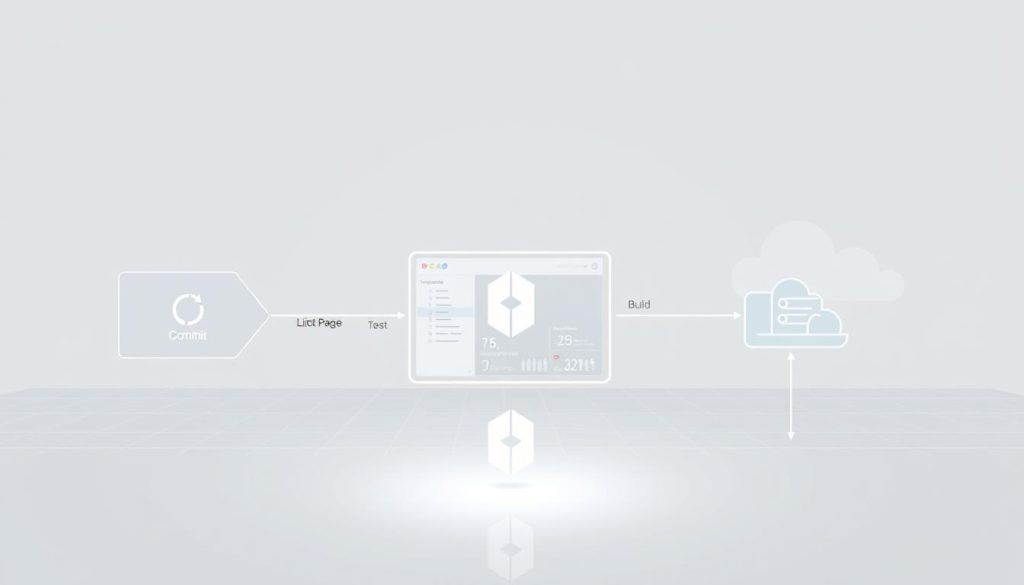
Integrating Google Lighthouse into your continuous integration setup might seem daunting. Yet, it’s straightforward once broken down. The real magic is when performance audits become automatic in your development workflow, not an afterthought.
Selecting a CI/CD Service
Choosing the right continuous integration platform is crucial. I’ve found GitHub Actions to be the most seamless for Lighthouse integration. The setup is minimal, and it integrates beautifully with existing repositories.
GitLab CI offers similar capabilities for those preferring it. For more complex setups, Jenkins provides excellent flexibility but requires more initial setup. The choice depends on your team’s preferences and infrastructure.
Installing and Configuring Lighthouse CI
The installation process is refreshingly simple. First, add Lighthouse CI to your project using npm:
npm install -g @lhci/cli
Next, create a configuration file named lighthouserc.js in your project root. This file defines your audit settings and thresholds. Here’s a basic configuration I use to get started:
module.exports = {
ci: {
collect: {
numberOfRuns: 3,
url: [‘http://localhost:3000’]
},
assert: {
assertions: {
‘categories:performance’: [‘error’, {minScore: 0.9}]
}
}
}
};
This configuration runs three audits against your local development server. It sets a performance score threshold of 90%. Adjust these values as needed for your project.
Writing Lighthouse Audit Scripts
Creating effective audit scripts ensures consistent Lighthouse checks. I add a script to my package.json file for the entire process:
“scripts”: {
“lh:ci”: “lhci autorun”
}
For complex scenarios, create custom scripts for specific audit conditions. Here’s an example that checks multiple pages and generates detailed reports:
const {launch} = require(‘lighthouse-ci’);
async function runAudits() {
const pages = [‘/’, ‘/about’, ‘/contact’];for (const page of pages) {
await launch({
url: `http://localhost:3000${page}`,
config: ‘./lighthouserc.js’
});
}
}runAudits();
Remember to test your scripts thoroughly before integrating them into your main pipeline. Always run them locally first to catch any configuration issues early.
This setup catches performance regressions before they reach production. Your team gets immediate feedback on how code changes affect user experience. This makes performance optimisation a natural part of your development process.
Analysing Lighthouse Results and Implementing Improvements
Once your Lighthouse audits are running automatically, the real work begins. It’s about making sense of the results and turning them into actionable improvements. This is where many teams struggle, but it’s also where you’ll see the most significant gains in user experience.
Key Performance Metrics to Monitor
Google’s Core Web Vitals have become the gold standard for measuring user experience. These performance metrics focus on three crucial aspects of how users perceive your site’s speed and responsiveness.
Largest Contentful Paint (LCP) measures loading performance. You want this under 2.5 seconds. I track this religiously because it directly impacts bounce rates.
First Input Delay (FID) assesses interactivity. Keeping this below 100 milliseconds ensures your site feels responsive to user actions.
Cumulative Layout Shift (CLS) quantifies visual stability. Aim for less than 0.1 to prevent frustrating layout shifts during page loading.
| Web Vital | Target Score | Measurement Focus | Impact on Users |
|---|---|---|---|
| Largest Contentful Paint (LCP) | Loading performance | Perceived loading speed | |
| First Input Delay (FID) | Interactivity | Responsiveness to clicks | |
| Cumulative Layout Shift (CLS) | Visual stability | Layout consistency |
Addressing Common Performance Problems
Through countless audits, I’ve identified patterns in performance issues. Recognising these common problems helps you prioritise fixes effectively.
Render-blocking resources often top the list. I tackle this by:
- Deferring non-critical JavaScript
- Inlining critical CSS
- Using async loading for third-party scripts
Inefficient JavaScript execution can cripple interactivity. My approach includes code splitting, removing unused dependencies, and implementing lazy loading for components.
Unoptimised images remain a frequent culprit. I’ve successfully reduced image payloads by:
- Implementing modern formats like WebP
- Setting appropriate compression levels
- Using responsive images with srcset
Remember, improvements should be incremental. Focus on one metric at a time, measure the impact, and then move to the next priority. This systematic approach has helped me achieve consistent performance gains across multiple projects.
Conclusion
Integrating Lighthouse audits into your CI/CD pipeline revolutionises web performance management. This approach ensures continuous monitoring without manual intervention. It also identifies performance issues before they affect users.
This method is crucial for upholding high-quality standards. It maintains performance as a central focus in development. This allows teams to concentrate on feature development while ensuring speed.
For newcomers, start with small steps. Begin by integrating Lighthouse CI with your pipeline. Then, expand the scope of audits as your team becomes more adept.
This approach has become fundamental to my development workflow. The synergy between Lighthouse and CI/CD acts as a robust safety net. It ensures performance remains a priority throughout the development cycle.
I’m open to discussing how to implement these strategies in your projects. Share your experiences with automated performance testing. Let’s work together to create faster, more reliable web experiences for all.